Starting a video podcast feels like a big technical jump, but the gear list is shorter than most guides make it sound. You need a camera that looks good, a microphone that sounds good, a way to record the audio cleanly, and a bit of light. That's the core of it.
The bigger question for most people in Dubai isn't what to use, it's whether to buy it. If you're still testing your format, renting the same gear a studio would use is cheaper and lower risk. Below is what each piece does, what we'd pick, and what you can rent from us.
You don't need a cinema camera to film a talking head, but a proper camera with a big sensor gives you that soft, blurred background and clean image in an ordinary room. A compact full-frame body like the Sony FX3 is a popular pick for podcasts because it handles low light well, it's easy to rig, and it records long clips without fuss. Browse our full camera rental range if you'd like to compare options.
For a two-person show, use two matching cameras so the colour and look stay consistent when you cut between them. If you'd like to switch between cameras live, a switcher like the Blackmagic ATEM Mini Pro ISO lets you do it as you record.
Viewers forgive average video. They don't forgive bad audio. If you only spend money in one place, make it the microphone.
These pick up mostly what's right in front of them and ignore a lot of room noise, which is ideal if your room isn't perfectly treated. The Rode PodMic and the Shure SM7B are both dynamic mics built for speech. The SM7B is a studio favourite, but it needs a good preamp with enough gain, so tell us your setup and we'll match it properly.
More sensitive and more detailed, so they sound great in a quiet, treated room and can pick up too much in a noisy one. The Rode NT1 is a well-known example.
Handy for interviews on location or when guests move around. A compact kit like the DJI Mic 2 gives you two transmitters and a receiver. Have a look at the rest of our audio equipment for more options.
A microphone with an XLR output needs something to plug into. You have three common routes:
Good light is what makes a simple setup look professional. Use a soft, diffused light as your main source, add a gentle fill from the other side, and keep it away from windows that change through the day. Soft panels like the Kino Flo Select 30 are the kind of look to aim for. See our lighting rental for more choices.
You can start for free. OBS Studio handles recording and live switching, and DaVinci Resolve has a free version that's enough for most podcast editing. Paid editors like Adobe Premiere Pro and Final Cut Pro are great but not essential on day one.
Buy if you already know you'll record every week for a year. Rent if you're testing the format, recording a pilot, filming a one-off series, or want better gear than your budget allows right now. Renting also lets you try a mic or camera before you commit to owning one. We deliver across the UAE, and 5% VAT applies. Prices are shown on each product page.
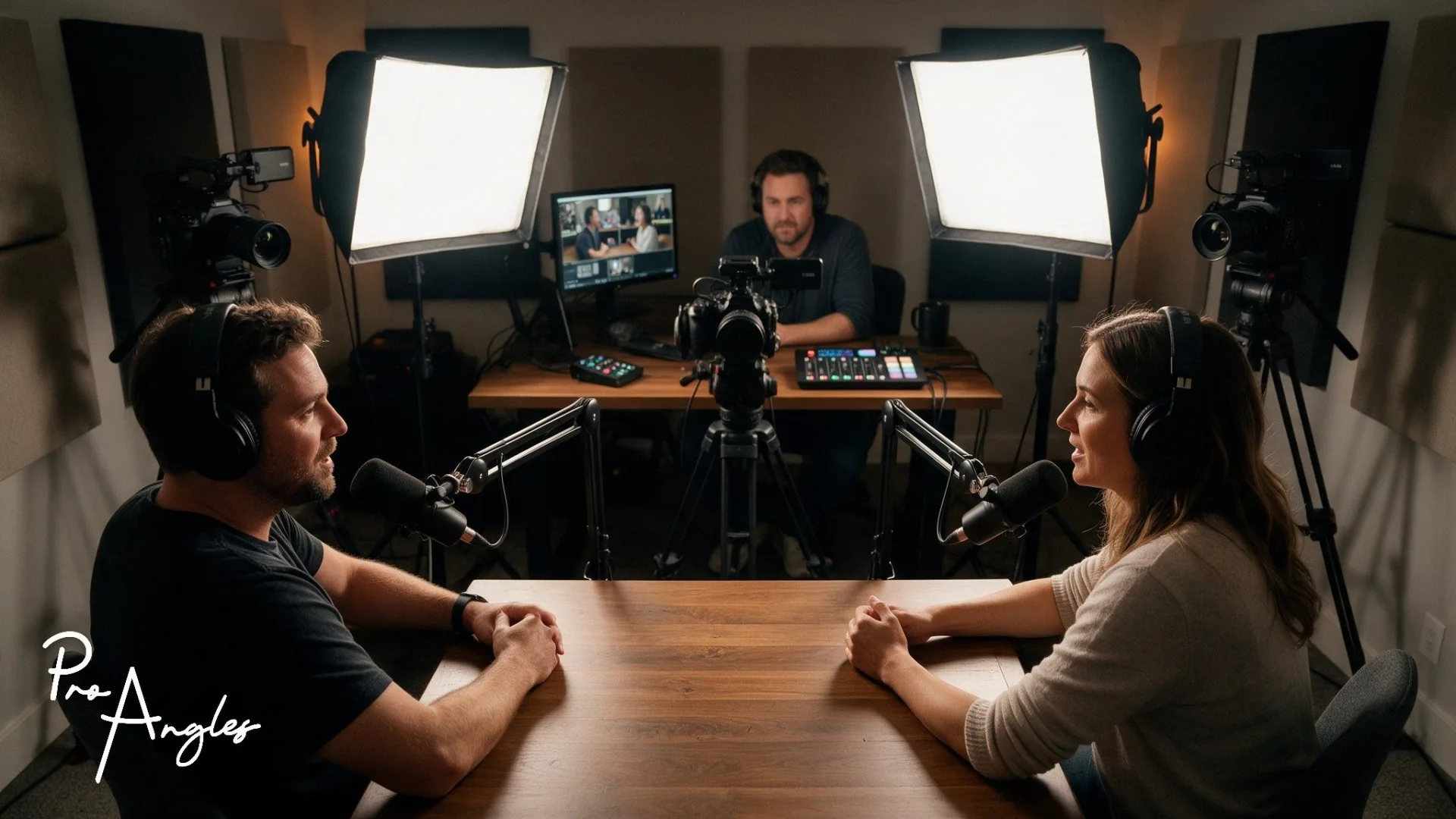
One camera, one dynamic mic on a boom arm, an audio interface, two soft lights, closed-back headphones.
Two matching cameras, two dynamic mics on arms, a podcast mixer, three lights, headphones for both. Add a switcher if you want to cut live.
Start with a smartphone or a single camera, one good microphone and window light. Upgrade the microphone before anything else.
The same kit as any video podcast: a camera, microphones, an audio interface or mixer, lights and headphones. YouTube only asks for common video formats, so check its current upload guidelines.
It depends on what you pick. Renting keeps the upfront cost low because you pay for the days you shoot rather than buying everything. Check the product pages for current rental prices.
Yes. We rent cameras, microphones, mixers, lights and stands and deliver across the UAE. Message us on WhatsApp at +971 52 672 2009 with your setup and we'll put together a kit for your shoot.
